Reliable Video Surveillance Management for PC
XMEye VMS is a free utility developed by XMEye that enables users to manage and monitor security cameras directly from a Windows computer. It provides a stable platform for overseeing CCTV systems, supporting a range of device types such as IP cameras, DVRs, and NVRs. The program simplifies remote monitoring through cloud-based access for secure logins and live video feeds, making it a useful tool for home or business security setups.
Top Recommended Alternative

Streamlined Access and Device Support
A key feature of XMEye VMS is its capacity to connect and display up to 64 devices simultaneously, allowing comprehensive real-time surveillance. Cloud integration makes remote access to live feeds straightforward once properly configured. However, initial setup can be technical, often requiring familiarity with IP addresses, router adjustments, and network configurations to ensure stable connections across all devices.
Functional Tools with Secure Playback
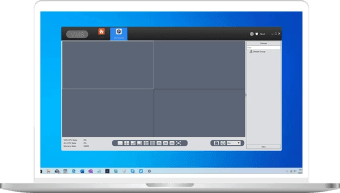
After configuration, users gain reliable tools for local video recording and playback. Recorded files are encrypted and require the program’s own media player for viewing, adding security but limiting flexibility. The interface organizes connected devices into a unified workspace, enabling easy navigation between cameras and playback panels. Overall, it offers essential control functions suitable for both small-scale and multi-site installations.
A Capable Option for Experienced Users
While XMEye VMS is an effective surveillance management platform, its setup process may challenge beginners unfamiliar with network configurations. Users often need to modify firewall permissions or temporarily disable antivirus protection during installation, which can create minor security concerns. Despite this, the software remains a dependable choice for those seeking scalable, free surveillance management with solid performance once configured.